
Assignment 04 | Video Basics
Pictorial Continuity and Coverage
Your group films one short conversation, with sound, from three angles plus two camera moves. Then you intercut it into one seamless scene.
START HEREOpen your one-sheetPrint it or keep it open while you work.Open ↗HORIZONTAL ONLY
Every clip. Turn the phone or camera sideways, so the frame is wider than it is tall. Vertical video scores 0 for format.
WHAT YOU HAND IN
One video, 30 to 60 seconds, horizontal, exported at 1080p.
• A conversation between Actor A and Actor B, with their voices clear.
• All three angles, each one used at least twice.
One motivated and one unmotivated camera move, each one of the six moves we learned: pan, tilt, dolly, track, pedestal or zoom.
• Picture and sound flow as one scene, with no cut-off or missing words.
Your crew of three
All three of you write the scene and direct it together. On shoot day, each of you has one job.
Actor A
Speaks first. Same lines and moves every take.
Actor B
Answers. Same lines and moves every take.
Camera operator
Frames each setup, checks sound, resets props.
Print the on-set sheet (attached below) and bring it to every class. Check off each box as you go.
Step by step
01
WEEK 4, MONDAY, AFTER THE LESSON
Write the scene and plan it
Watch this example of a three-angle conversation before you plan yours.
02
WEEK 4, TUESDAY
Shoot five setups
Watch out: Half takes leave holes in the edit. Run the whole scene every time, even when only one line matters.
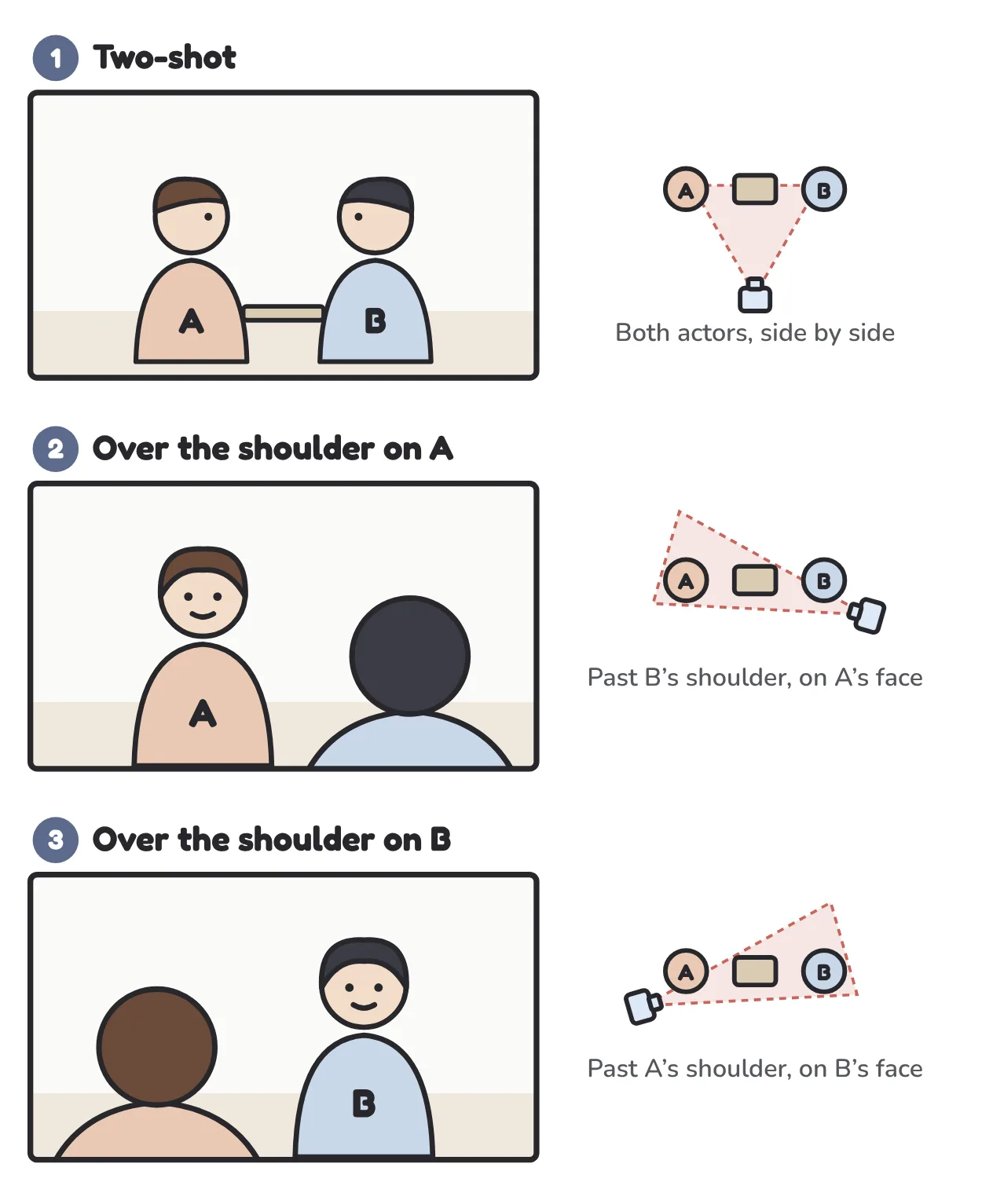
Keep the camera on the same side of the table for all three angles, so A always stays on the left and B on the right.
03
WEEK 5, TUESDAY
Edit the scene
Watch out: Sound that jumps, doubles or drops a word. If you hear it, move the cut into the pause.
04
WEEK 5, WEDNESDAY
Show it
Get it right
Tripod
steady every angle
Shoulder in frame
for over the shoulder
Eye level
for both actors
Quiet room
clear voices
Cut on lines
not in the middle
Sound flows
across every cut
HOW TO TURN IT IN
Export at 1080p. Every member of the group uploads the same file to Assignment 04.
CHECK BEFORE YOU SUBMIT