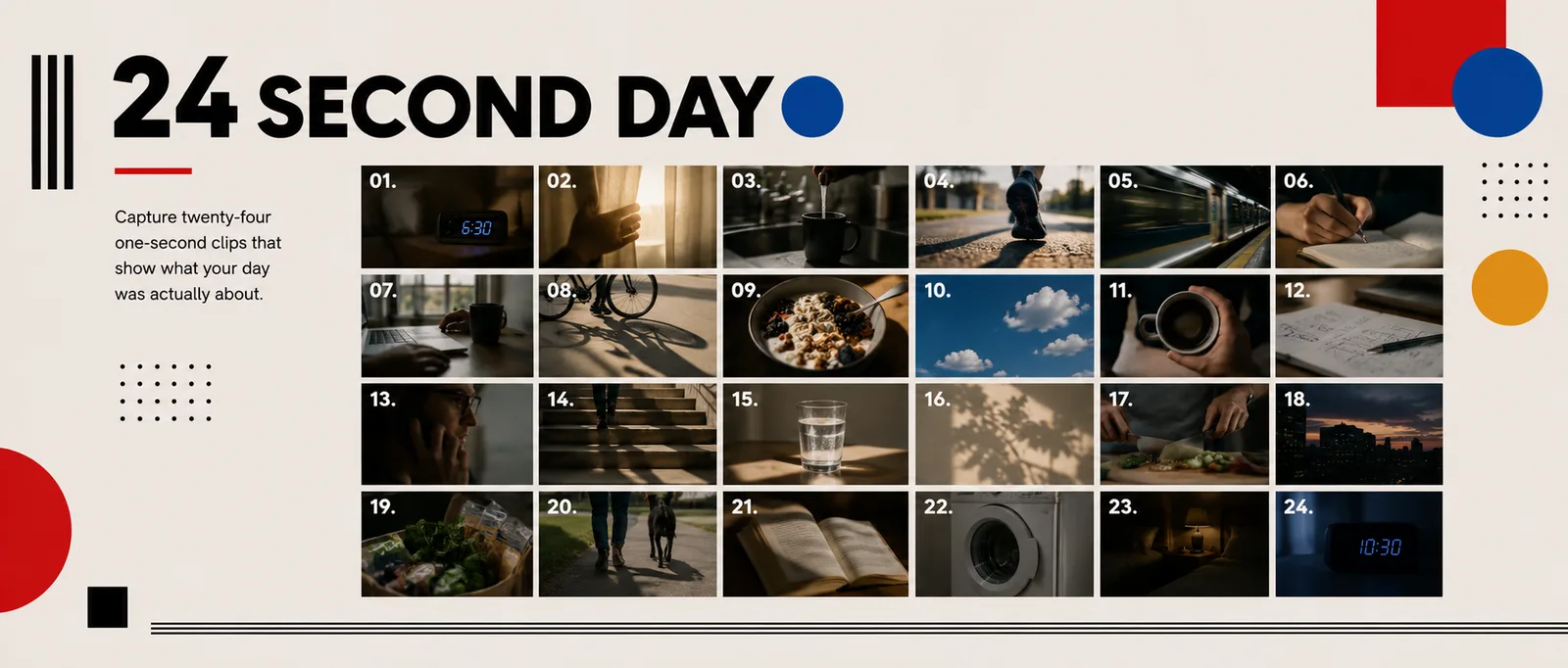
Twenty-four one-second clips that add up to your day.
HORIZONTAL ONLY
Every clip. Turn the phone or camera sideways, so the frame is wider than it is tall. Vertical video scores 0 for format.
24
clips
1 s
each, exactly
24 s
total length
HD
horizontal export
24 clips x 1 second = 24 seconds.
!
It must feel like one complete day, start to finish.
It does not have to be filmed in one day.
What it looks like
Watch it twice: once for the story, once to count the cuts.
Twenty-four seconds of somebody's day.
Why one second is hard
A second is not long enough to explain anything. Each shot has to be composed before you press record. There is no time to find the frame while rolling.
01
Step 01 in Assignment 08
Plan your 24 moments
Write the list before you film.
Morning to night, in order. Think about your day before you film it, or you will end up with twenty-four shots of the same room.
✓ Waking up and getting ready
✓ The way to school
✓ Your day
✓ Home and the evening
✓ Going to sleep
Creative goal
It has to be your day, not a day. Pick moments only you have: your breakfast, your route, your desk, your people.
02
Step 02 in Assignment 08
Film across as many days as you need
It only has to feel like one day.
Film morning moments one day and evening moments another, then cut them together so they feel continuous. Keep your look consistent within each part of the day.
03
Step 03 in Assignment 08
Frame every shot before you record
Compose, then press record.
1
Decide the shot
What is it, and where is the camera?
2
Compose it
Frame it before you press record.
3
Record 3 to 5 seconds
So you can pick the best second in the edit.
4
Hold still
Brace your arms or rest the phone on something.
04
Step 04 in Assignment 08
Show time moving
The light tells us what time it is.
Morning
soft early light
Day
bright daylight
Evening
warm, low light
Night
lamps and screens
05
Step 05 in Assignment 08
Cut in iMovie
Exactly one second each.
Trim every clip to exactly one second and put them in the order of the day. Check the total length before you export: it must read 24 seconds.
06
Step 06 in Assignment 08
Hard cuts only
No transitions, no effects.
Technique rule
No dissolves, no fades, no wipes. A transition eats a third of a one-second clip and softens exactly what should feel sharp. If iMovie adds one, select it and delete it.
07
Step 07 in Assignment 08
Add sound
One track, or natural sound.
One music track that fits your day, or just the natural sound of your clips. Not both fighting each other.
08
Step 08 in Assignment 08
Export and hand in
HD, horizontal, 24 seconds.
Export in HD (1080p), play it once to check it, then submit it to Assignment 08.
Must do
Every activity you film has to be school appropriate, and safe. No stunts, no parkour. Nothing you would not want played in a classroom.
Before you leave today
Write the first ten moments of your list, from waking up to getting to school.